Engineering Creativity: Orchestrating AI with Custom ComfyUI Nodes
Objectives
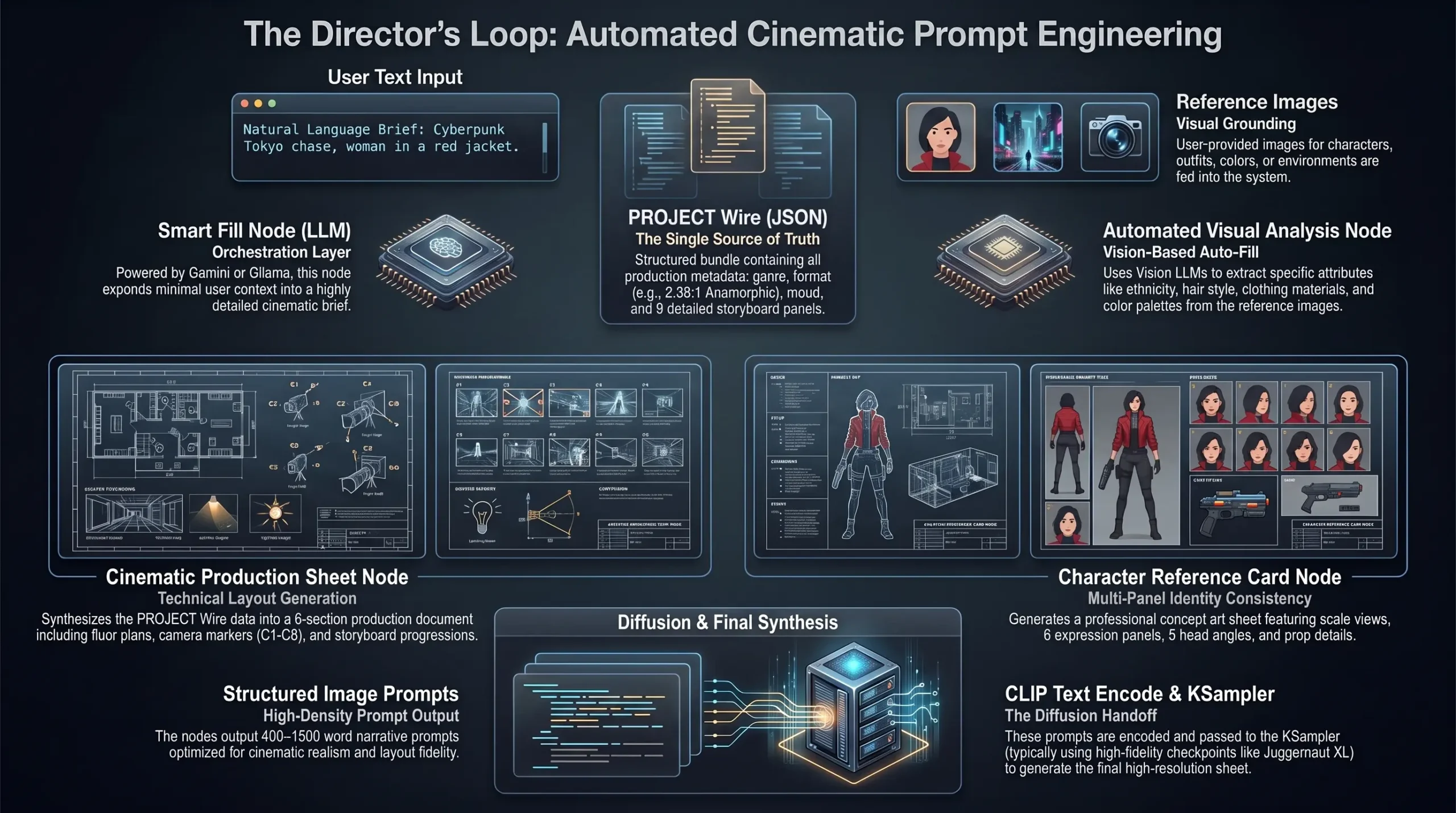
My goal was to build a system that automates the heavy lifting of prompt engineering. By creating a unified orchestration layer, I wanted a pipeline that acts like a veteran film director—taking minimal inputs and automatically structuring them into professional pre-production assets.
1. The Core Objective: Deterministic AI Orchestration
Standard prompt boxes force creators to pack lighting, composition, lens choice, wardrobe, mood, and art direction into a fragile single-line string. A minor tweak to camera angle often distorts facial features or alters lighting temperature unexpectedly.
The system tackles three foundational bottlenecks in generative art:
- Context Fragmentation: LLMs and image models operating in disconnected silos without shared parameter memory.
- Visual Inconsistency: Inability to reliably carry character proportions, color palettes, and environments across sequential shots.
- Manual Overhead: Hours wasted drafting multi-view character sheets, camera plots, and production breakdowns manually in Photoshop.
2. Deep Dive: The 4 Custom ComfyUI Nodes
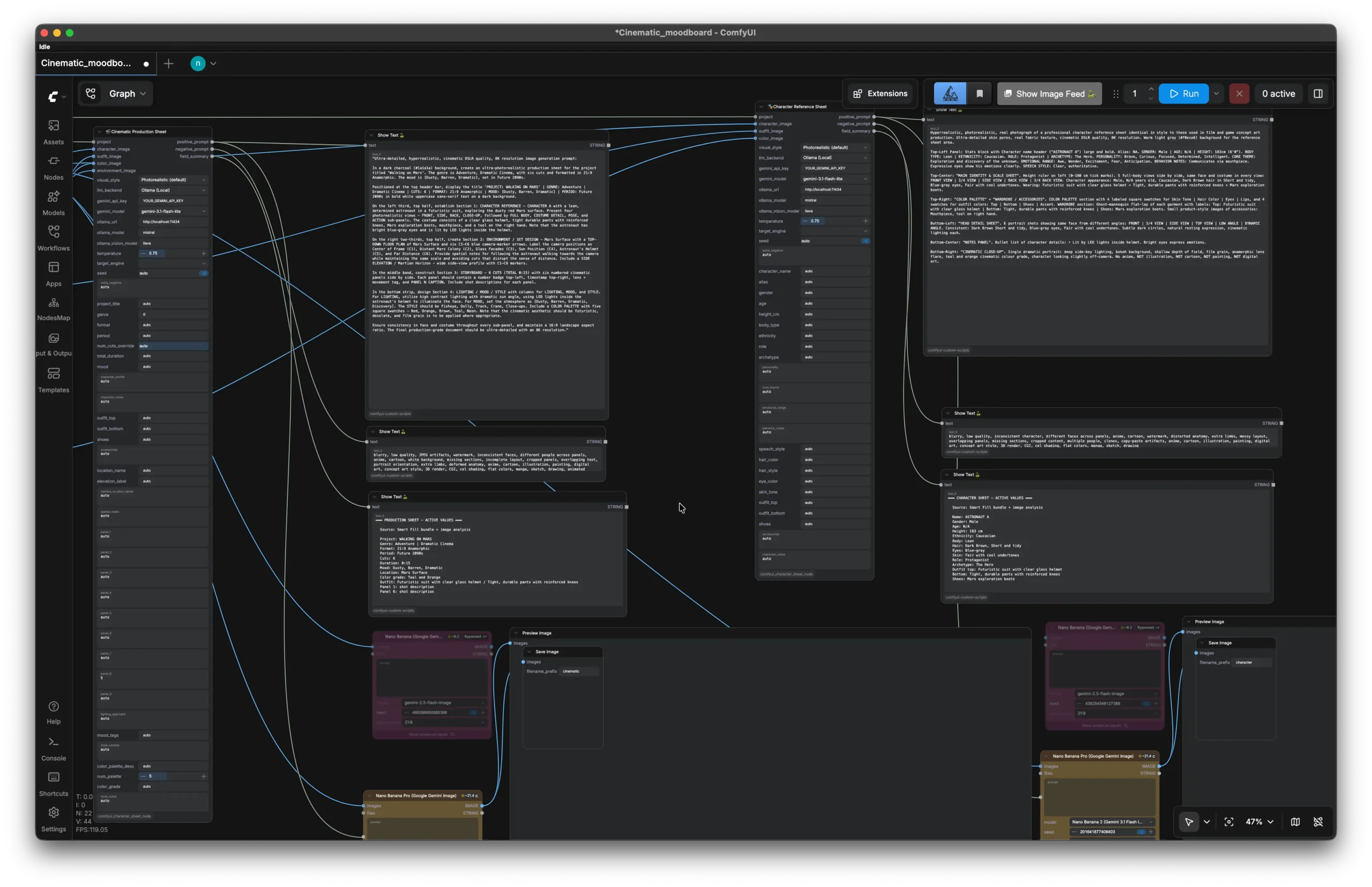
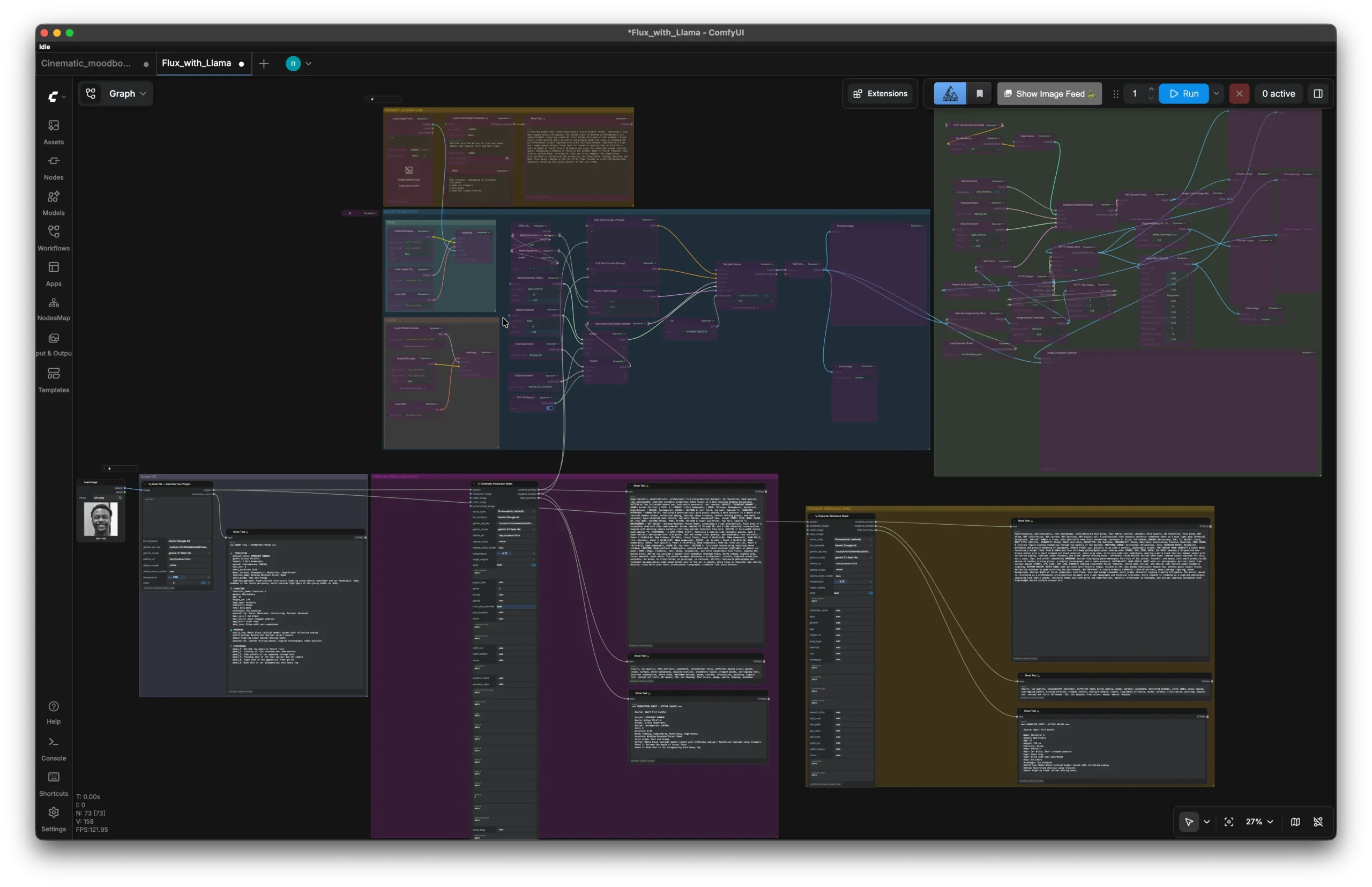
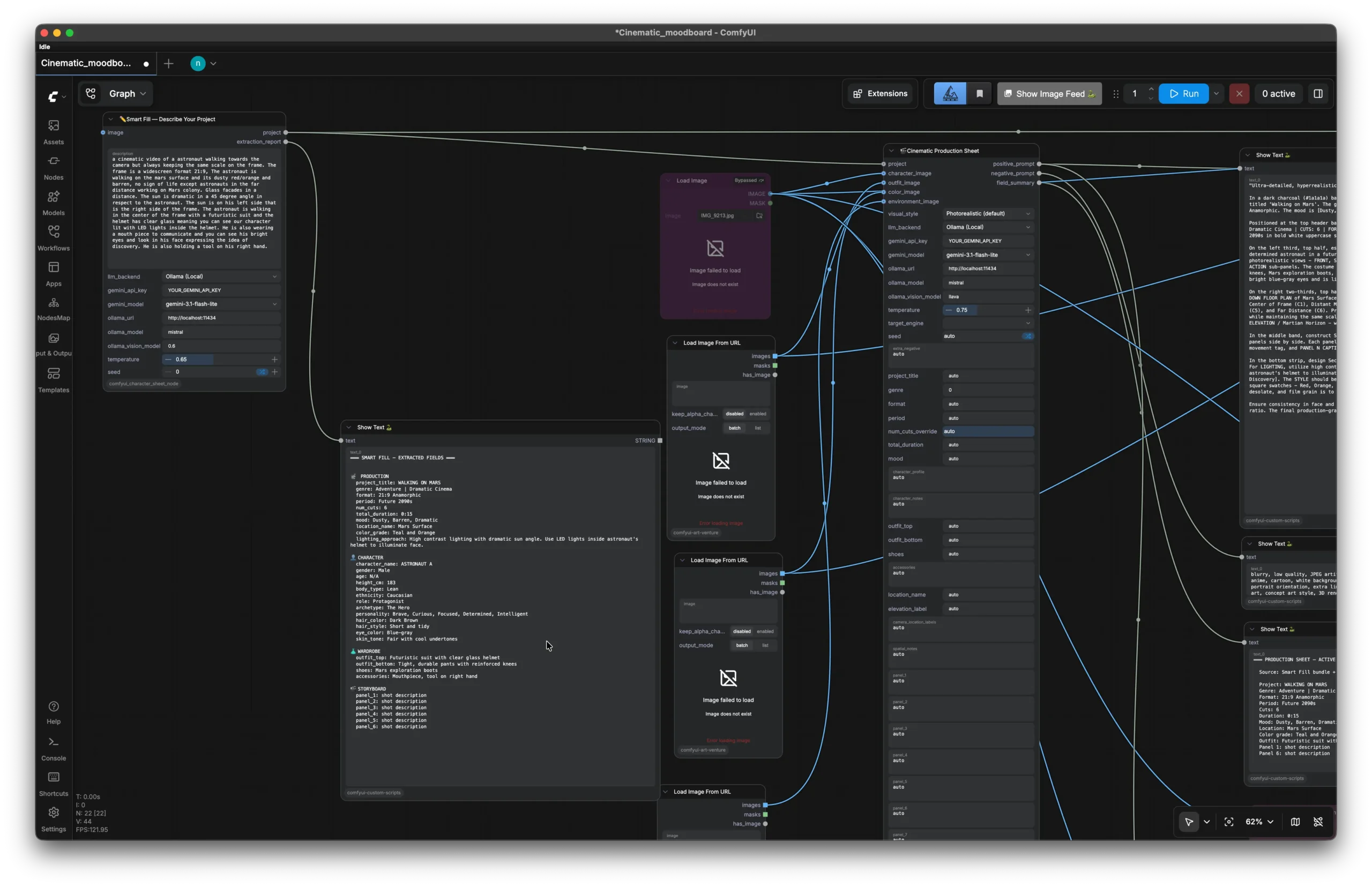
The node suite operates as a multi-tier orchestration pipeline. Each node handles a distinct stage of pre-production and generation:
Node 1: Intelligent Smart Fill (LLM Prompt Expander)
- Role: Central director and prompt architect.
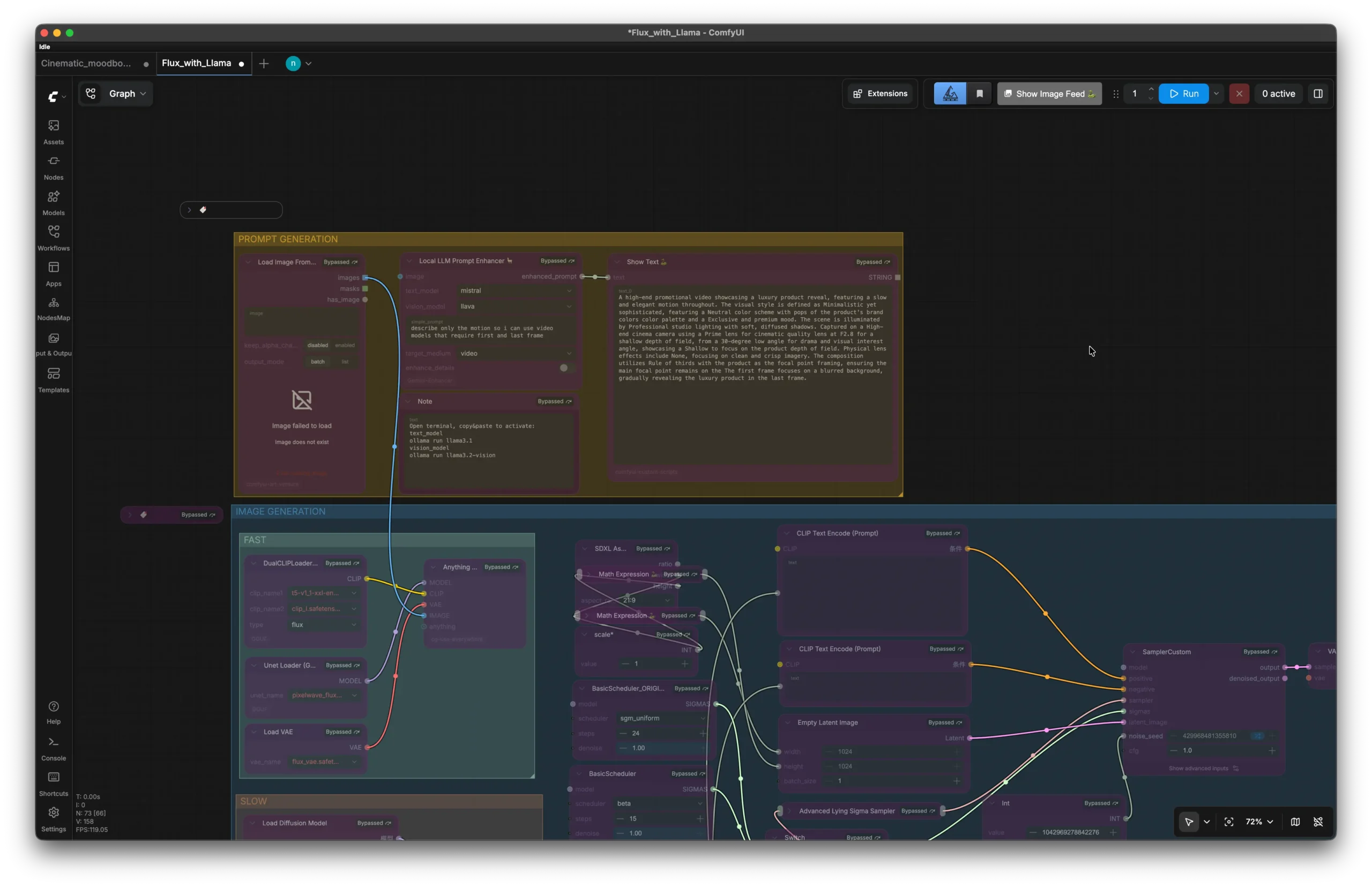
- Mechanism: Integrates local LLMs (via Ollama running Llama 3 / Mistral) or external APIs (Google Gemini) directly inside the ComfyUI execution graph.
- Workflow: Ingests a minimal premise (e.g., “Neo-noir detective in rainy Warsaw alley”) and automatically expands it into cinematic parameters: camera focal length (e.g., anamorphic 50mm T1.9), lighting setup (tungsten key with cyan rim), volumetric atmosphere, and textural surface properties.
Example Generated Structured Parameter Bundle:
“subject”: “Detective in weathered trench coat”,
“environment”: “Rain-slicked cobblestone street, Warsaw Praga district”,
“camera”: “Arri Alexa Mini LF, 35mm Anamorphic, f/2.0, low angle shot”,
“lighting”: “Practical neon signage reflections, 3200K key light, cool backlight”,
“color_palette”: [“#0d1b2a”, “#1b263b”, “#e0a96d”, “#c1121f”],
“seed_guidance”: 3.5
}
Node 2: Multimodal Vision Analyzer (Feature Deconstructor)
- Role: Automated reverse-engineering of visual assets.
- Mechanism: Directly processes input image tensors through vision models (LLaVA / CLIP).
- Workflow: Deconstructs reference imagery into explicit visual tokens: garment seams, fabric textures, facial symmetry metrics, color hex buckets, and depth planes. These extracted parameters pass downstream into generation prompts without manual transcription.
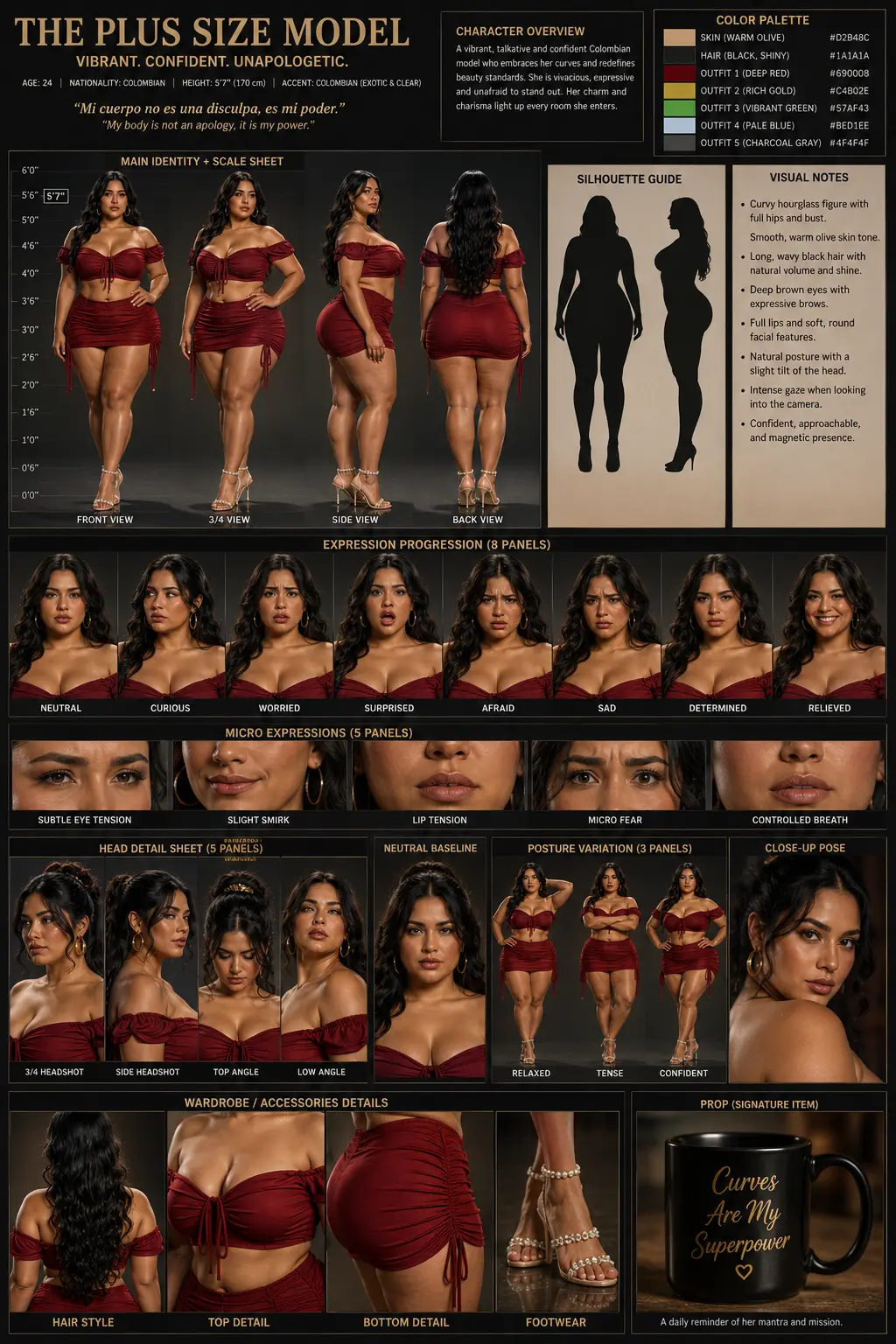
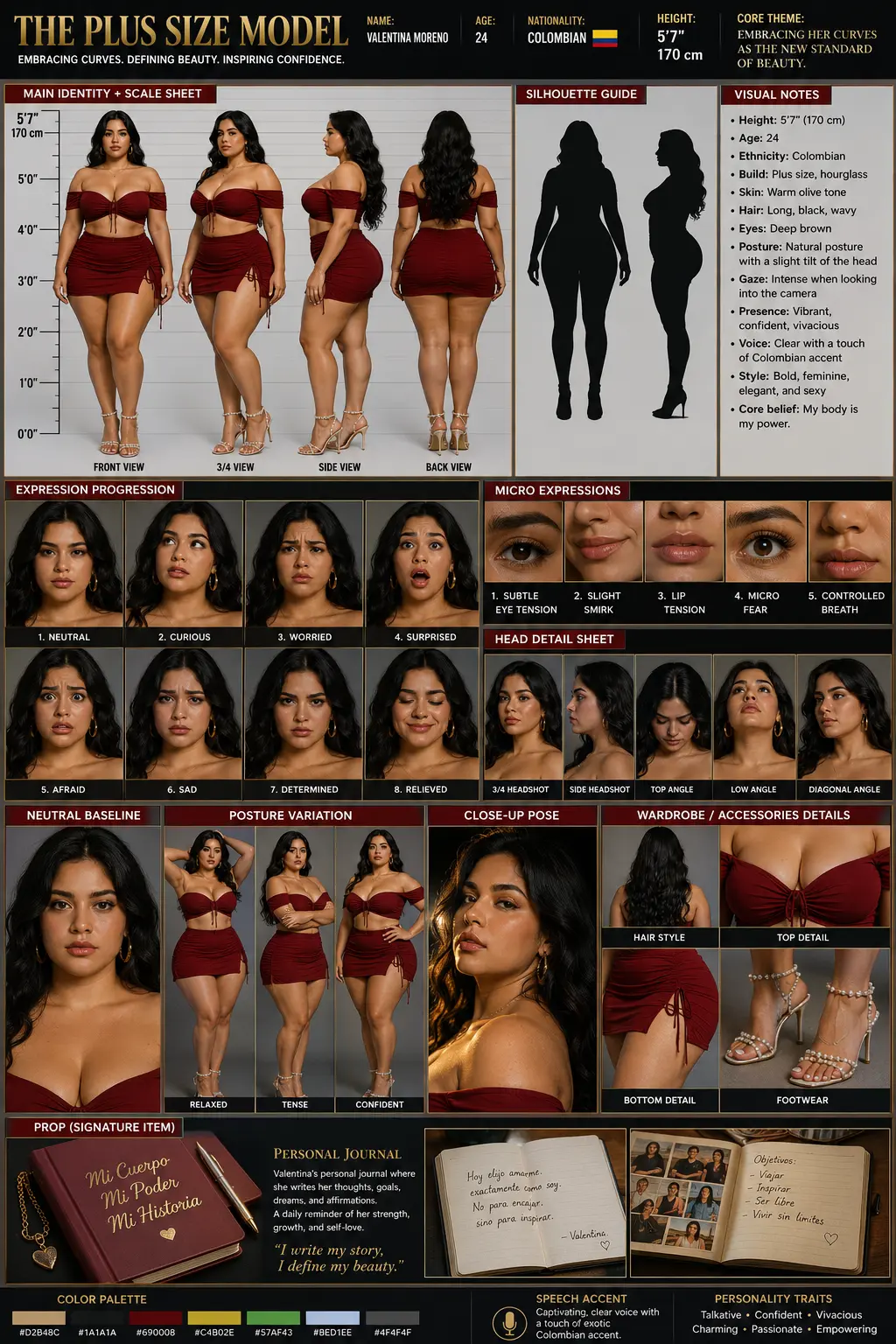
Node 3: Cinematic Production Grid Generator (6-Panel Turnaround)
- Role: Automated storyboard and model sheet compiler.
- Mechanism: Coordinates multi-pass conditioned generation using ControlNet and Latent Composite masks.
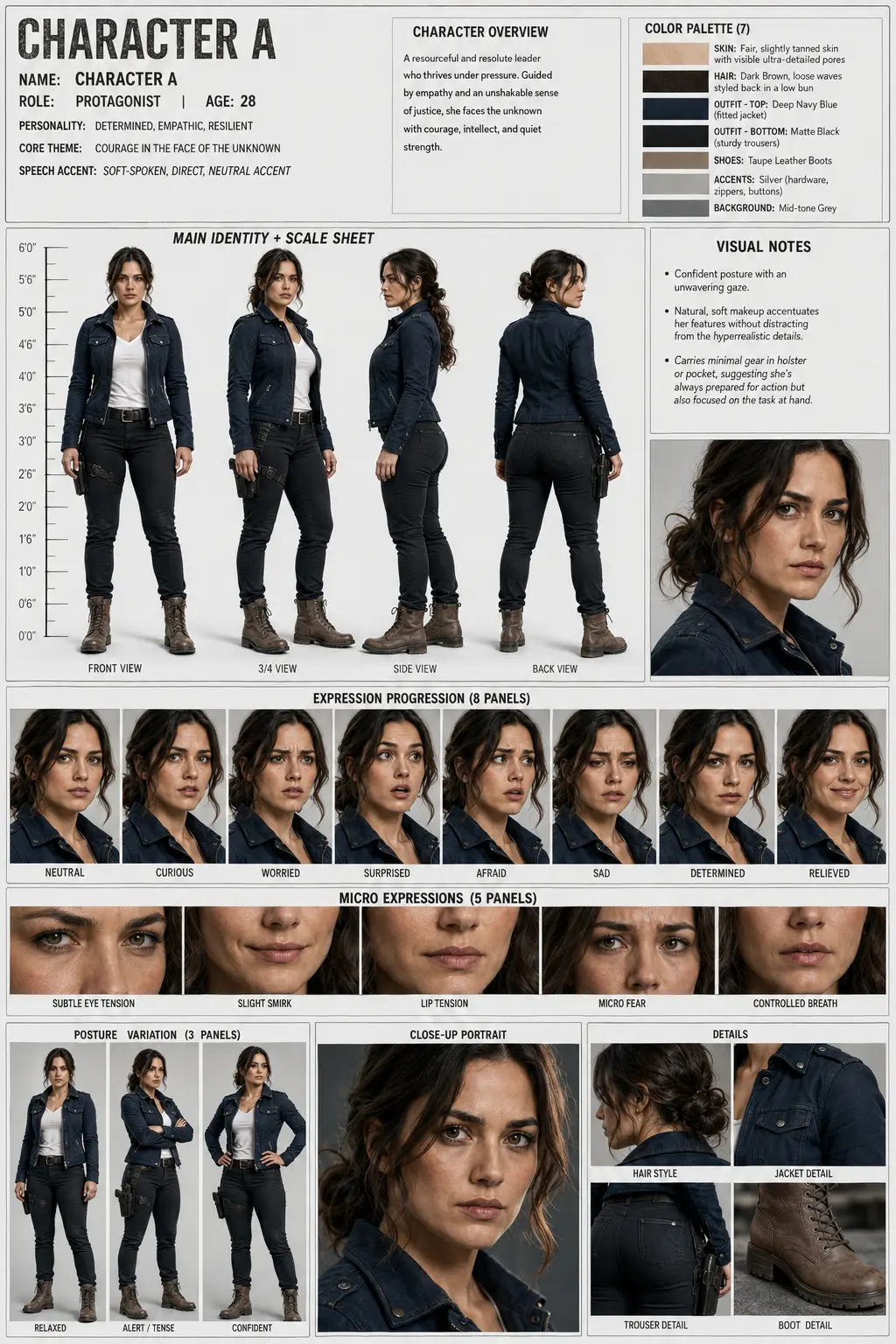
- Workflow: Outputs cohesive 6-panel technical asset sheets containing orthographic character views (Front, 3/4 Left, 3/4 Right, Profile), top-down camera blocking charts, and expression spectrums.
Node 4: Video Scene Breakdown & Cut Deconstructor
- Role: Bridging still imagery into temporal AI video.
- Mechanism: Batches video inputs, detects scene transitions, and generates per-shot keyframe prompt packets.
- Workflow: Enables reliable video-to-video style transfers and shot recreations for Runway, Pika, and Seedance workflows.
3. Architecture & Node Execution Logic
Each custom node extends ComfyUI’s native Python base class. Below is the simplified execution schema powering the Smart Fill orchestrator:
“””Custom ComfyUI Node: Expands raw visual concepts into structured cinematic parameter bundles.””” @classmethod
def INPUT_TYPES(cls):
return {
“required”: {
“concept_prompt”: (“STRING”, {“multiline”: True, “default”: “”}),
“director_style”: ([“Cinematic Noir”, “Cyberpunk”, “Documentary Realism”, “Sci-Fi Epic”],),
“aspect_ratio”: ([“16:9”, “2.39:1”, “4:3”, “1:1”],),
“temperature”: (“FLOAT”, {“default”: 0.7, “min”: 0.1, “max”: 1.5}),
},
“optional”: {
“image_reference”: (“IMAGE”,),
}
}
RETURN_TYPES = (“STRING”, “STRING”, “STRING”, “JSON”)
RETURN_NAMES = (“positive_prompt”, “negative_prompt”, “camera_specs”, “metadata_bundle”)
FUNCTION = “expand_concept”
CATEGORY = “NzokaJohn/Pipeline”
def expand_concept(self, concept_prompt, director_style, aspect_ratio, temperature, image_reference=None):
bundle = self._query_llm_engine(concept_prompt, director_style, aspect_ratio, temperature)
return (bundle[“positive”], bundle[“negative”], bundle[“camera”], bundle)
4. Visual Workflow & Results
The power of this pipeline is best demonstrated through the transition from structured node inputs to final high-fidelity production assets.
| Component | Technical Implementation |
|---|---|
| Prompt Orchestration | Smart Fill nodes expand simple ideas into robust, model-ready JSON data bundles. |
| Visual Extraction | Image tensors are automatically analyzed to populate character, outfit, and environment fields. |
| Production Layouts | Automated generation of complex multi-panel grids, including expressions, accessories, and spatial notes. |
“This pipeline isn’t just about generation; it’s about control. By treating AI as an instrument, we move beyond random outputs and into intentional visual storytelling — a single sentence becomes a full six-panel production sheet without opening Photoshop.”
5. Production Impact: Workflow Benchmark
| Metric | Traditional AI Prompting | Custom ComfyUI Suite | Efficiency Gain |
|---|---|---|---|
| Prompt Structuring Time | 10–15 mins (trial & error) | < 3 seconds (Smart Fill) | ~95% faster |
| Character Consistency | ~20% across 5 shots | > 85% across multi-angle grids | 4.2x improvement |
| Turnaround Sheet Generation | 3–4 hours in Photoshop | Single pipeline render pass | Zero manual comping |
| Video Shot Extraction | Manual frame grabbing & typing | Batch cut detection & prompt mapping | Instant scene sync |
6. Technical Specifications & Tool Stack
- Host Environment: ComfyUI on macOS / Ubuntu Linux (NVIDIA RTX 4090 / Apple Silicon)
- Local Language Models: Ollama running Llama 3 (8B) & Mistral (7B)
- Diffusion Engines: Flux.1 Dev / Schnell, SDXL, ControlNet OpenPose & Depth
- Development Tooling: Python 3.11, Antigravity IDE, Torch, Transformers, OpenCV
7. Technical FAQ
Why use local LLMs (Ollama) instead of cloud APIs in ComfyUI?
Local LLMs eliminate latency, protect proprietary visual IP without sending data to third-party endpoints, and run with zero recurring API costs inside the local ComfyUI graph.
Does this pipeline work with any diffusion model?
Yes. The output bundles produce standard conditioning text, Latent masks, and ControlNet maps compatible with Flux.1, SDXL, SD 1.5, and video models like Wan2.1 and Seedance.
How does the pipeline maintain face and clothing consistency?
By combining the Multimodal Vision Analyzer node with fixed character seeds, Latent Composition, and reference image embedding extraction, the system locks essential facial proportions and wardrobe palettes across sequential generations.
Visual Showcase