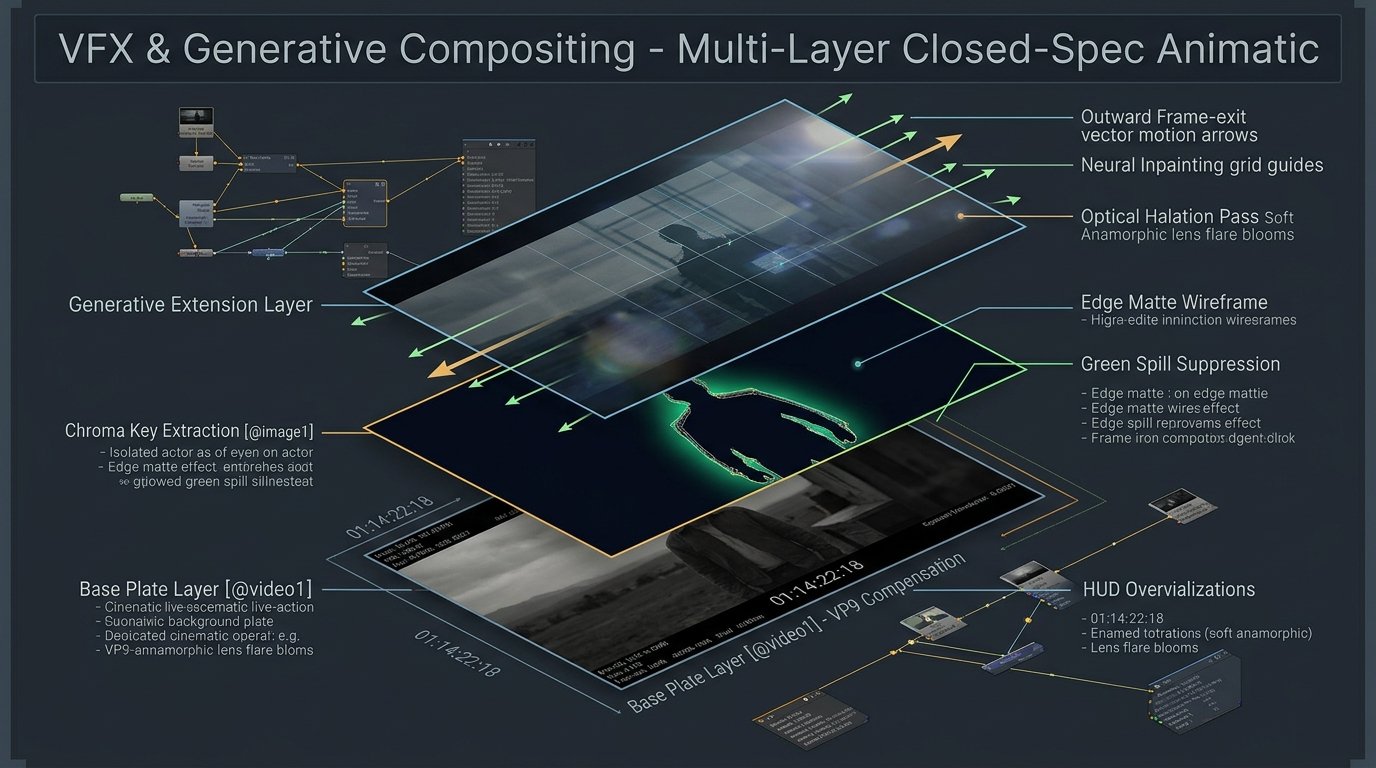
Engineering Determinism: The 13 Rules of Closed-Spec Generative Video & VFX Compositing
Objectives
In high-end visual effects, commercial animatics, and feature post-production, generative video tools fail the moment an artist treats them like slot machines. A veteran VFX pipeline cannot tolerate loose ‘inspired-by’ reinterpretations. When we conform a generative plate into a locked NLE timeline, align it against a 3D SynthEyes camera track, or composite live-action talent, the prompt must function as a closed, literal engineering specification.
Developed through extensive commercial production—including broadcast animatics, multi-pass CGI extensions, and tactile stop-motion compositing—these 13 rules convert unpredictable diffusion engines into deterministic, broadcast-ready finishing tools.
The 13 Rules of Closed-Spec VFX Engineering
1. Platform-Specific Source Syntax Labeling
Never rely on colloquial descriptions like ‘the person in the background’. Label every input using strict platform token syntax (Higgsfield/Seedance: @image1, @video1; Magnific: @img1, @vid1). State in one clear sentence exactly what each input contributes—and explicitly what it is forbidden from contributing.
@video1 does NOT contribute room lighting, floor geometry, or background atmosphere.
2. Absolute Scale and Spatial Bounds Locking
Generative models possess an aggressive default bias to ‘helpfully’ recenter, crop, or digital-zoom into subjects. In camera tracking, this destroys matchmove perspective. Explicitly command: ‘Pixel-for-pixel identical to the source framing of @video1. Do not zoom, scale, reframe, or reposition. Subject feet must remain firmly anchored to the lower frame boundary with zero cropping.’
3. Strict Definition of Transparency vs. Physical Matter
When pulling keys on green screen plates or handling dark optical vignettes, diffusion models routinely misinterpret gradient fades to black as opaque physical structures. You must define alpha semantics explicitly: ‘Key on dominant chroma green hue. Gradient fades represent 100% transparent alpha channel revealing the underlying background plate, NOT solid dark matter.’
4. Enforced Layer Order (Z-Depth Hierarchy)
Stating ‘composite A onto B’ is ambiguous. A model may render background motion, fog, or light scatter across foreground subjects. Explicitly decree immutable Z-depth: ‘@image1 is always in front; @video1 is always behind. This layer order never inverts under any lighting transition.’
5. Source Closure: Strict Prohibition of Detail Invention
Generative engines fill uncertain frame pixels with plausible-looking hallucinated details (phantom props, stray light fixtures, unrequested shadows). Opt out of speculative creativity unconditionally: ‘No added background objects, specular light sources, furniture, or reflections beyond what exists inside the source assets.’
6. Motion Vector & Frame-Exit Trajectory Enforcement
When an element (debris, smoke, secondary characters) moves across screen, models often attempt to ‘contain’ it by looping, bouncing, or stalling motion before the frame boundary. Specify linear directional velocity and force clean frame-exit behavior: ‘Maintain linear left-to-right velocity. Allow elements to cleanly exit frame right; forbid containment, bouncing, or trajectory redirection.’
7. Codec Noise & Macroblocking Compensation
Real-world editorial footage often arrives with heavy VP9 or H.264 compression artifacts that tear delicate chroma edges. Do not just prompt ‘clean this up’. State the technical defect and the optical workaround: ‘Source contains blocky VP9 compression artifacts breaking chroma into non-uniform patches. Key on dominant hue range rather than exact hex values; apply a 2.0-pixel edge feather to suppress macroblocking noise.’
8. Single-Mechanism Diagnostic Iteration
When a generative pass fails, junior artists often rewrite the entire prompt from scratch, introducing new random variables. Senior delivery demands surgical isolation: identify the single broken mechanism (e.g., scale slip, z-depth inversion, lighting flicker), add one targeted constraint for that specific defect, and re-execute. 90% of failures stem from a missing boundary rule, not wrong creative phrasing.
9. Environmental & Lighting Stability Across Camera Moves
During wide-angle pans or push-ins, models routinely hallucinate accidental power outages, color-temperature swings, or light dimming. Lock photometric persistence: ‘Practical interior luminaires, ceiling panels, and bounce light remain 100% powered on throughout the entire shot. Zero flicker, zero dimming, zero kelvin temperature shift.’
10. Continuous First-to-Last Frame Trajectory (Anti-Morph Rule)
When bridging a starting keyframe (@image1) to an ending plate (@image2), models default to dissolved morphs or freeze-frames. Enforce physical continuity: ‘One continuous uncut single-take sequence. Absolutely NO hard cuts, dissolves, crossfades, or morphing shortcuts.’ Structure actions into time-coded blocks (0.0s – 2.0s, 2.0s – 4.5s) dictating physical camera moves and talent locomotion.
11. Micro-Anatomy & Prop Attachment Anchoring
During dynamic locomotion, models frequently fuse hand props into fingers or dissolve contact points. Lock physical attachments directly: ‘Talent holds handle firmly in left hand with locked 5-finger anatomical integrity. Prop wheels remain grounded to floor plane with zero spatial drift.’
12. Tactile Materiality & Balanced Studio Fill
For stop-motion, puppet craft, or textured props, eliminate the oily 3D CGI look. Demand physical tactile indicators: ‘Coarse tactile surface texture, visible fabric fuzz halo, matte weave, zero smooth plastic sheen.’ Pair with a disciplined 2:1 lighting ratio (dominant key with strong ambient fill) to preserve surface relief on both key and fill sides.
13. Background & Graphic Element Preservation
When performing targeted video-to-video revisions on foreground action, models often wipe out background motion graphics, lower thirds, or brand stripes. Mandate strict graphic preservation: ‘Maintain all background animations, sliding graphic cards, and typography from @video1 100% frame-and-timing identical.’
Production Impact: Open Ideation vs. Closed-Spec Engineering
| Production Factor (Axis) | Standard Generative Prompting | Closed-Spec VFX Engineering | Delivery Payoff |
|---|---|---|---|
| Spatial Alignment | Drifting bounding boxes & scale slip | 100% pixel-locked boundary box | Frame-accurate NLE conforming |
| Detail Hallucination | 4–6 speculative props/lights per pass | Zero unauthorized additions | Clean plates ready for comp |
| Keying Edge Integrity | Torn alpha fringes on compressed plates | Feathered codec compensation | Seamless optical integration |
| Passes to Final Lock | 15–20 re-rolls per shot | 1–2 passes to final lock | 85% compute & time savings |
* Note: The conceptual framework, production methodology, and technical guidelines in this breakdown originate from Nzoka John’s visual direction. LLMs assisted in structuring documentation and generating pre-production animatics.